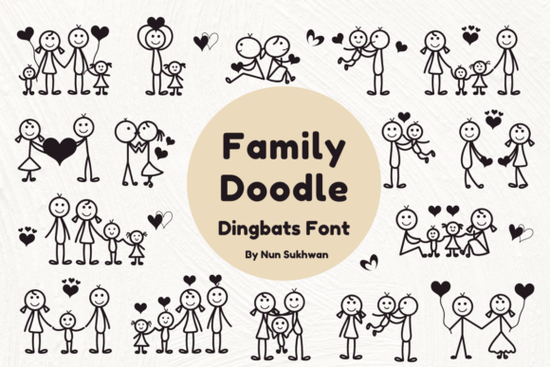
Sometimes you need a quick, heartwarming way to add a personal family feel to a design without spending hours drawing stick figures by hand. The Family Doodle Font fits that need perfectly. It’s a dingbat font packed with adorable stick figure illustrations of families holding hands, hugging, playing, and sharing love. Whether you make scrapbook pages, greeting cards, or printable wall art, these simple doodles bring a playful, relational touch to your work in just a few clicks.
What exactly is a dingbat font, and how does this one work?
A dingbat font replaces standard letters and numbers with small pictures or symbols. Instead of typing an “A” and seeing a letter, you type an “A” and get a doodle of a parent holding a child’s hand. The Family Doodle Font maps dozens of family-themed poses onto your keyboard, so you can quickly scroll through the character map or glyph panel, select the illustration you want, and insert it into your design software. It works like any standard font file install it once, and you have a library of stick figure art ready to use.
If you’ve ever used other symbol fonts for arrows or icons, the experience is similar. The main difference is the content: each glyph is a sweet, stylized drawing of a family moment. Because it’s a font, it’s lightweight, scalable, and stays crisp at any size. This makes it a practical alternative to unpacking a large clipart bundle or tracing vector packs online. A resource like this dedicated dingbat collection puts a focused set of family-themed doodles right at your fingertips.
Which projects suit the Family Doodle Font best?
The stick figure style has a universal, unpolished charm that appeals to both kids and adults. Users often find it useful for:
- Scrapbooking layouts – accent a family reunion page or a child’s milestone album without distracting from photos.
- Greeting cards and invitations – add a doodle of a family unit to a wedding invite, an adoption announcement, or a birthday card.
- DIY kid-friendly crafts – the simple outlines make great coloring page starters or stencil patterns.
- Print-on-demand merchandise – many sellers use the font on mugs, t-shirts, and tote bags where a heartfelt, minimalist graphic performs well.
- Social media graphics – a quick stick figure illustration can draw attention to posts about parenting, family events, or community stories.
How do you install and access the dingbat characters?
Installation follows the same steps as any standard .otf or .ttf font file. After downloading, right-click the file and choose “Install” on Windows, or double-click and select “Install Font” on a Mac. Once it’s active in your system, open your favorite design software be it Adobe Illustrator, Photoshop, Canva (desktop), Cricut Design Space, or even Microsoft Word and select the Family Doodle Font from the font menu.
To see all available doodles, open the glyph panel (in Adobe apps) or Character Map (on Windows) and browse the symbols. Often the easiest method is to type a few letters on a temporary text layer and then flip through the characters to spot a pose you like. Because each key may show a different doodle, a quick test document helps you find the perfect hugging family or walking pair.
Is the Family Doodle Font okay for commercial use?
Creative Fabrica typically includes a standard license that allows personal and commercial projects with fonts, but you should always review the exact terms on the product page before you sell items featuring the doodles. In most cases, small business owners can use the font on physical products, printables, and digital designs without an extended license as long as the font isn’t distributed as a standalone file. If you plan to use the doodles on hundreds of print-on-demand items or in a design template sold repeatedly, double-check the license details to stay safe. This careful approach aligns with E-E-A-T principles: providing accurate information builds trust with your audience and protects your own business.
What software works best with dingbat fonts?
Because this is a standard font file, you can use it in any program that supports custom fonts. Designers often work with:
- Adobe Photoshop and Illustrator – simply select the font and use the glyph panel for quick access.
- Canva – desktop users can upload a font file and use it directly in designs.
- Cricut Design Space – install the font on your computer, and Cricut will recognize it for cutting or drawing projects.
- Silhouette Studio – similar compatibility for craft cutters.
- Microsoft Word or PowerPoint – perfect for simple printable layouts and handouts.
One tip: in some crafting software, you may need to ungroup or weld the text before cutting to treat each doodle as a separate shape. Check your machine’s guidelines for working with font-based designs.
Are there other doodle fonts that complement this one?
Once you start using a family stick figure font, you might like to expand your toolkit with companion doodle styles think cute home icons, pet silhouettes, or everyday object notes. Many creative marketplaces offer themed dingbat fonts that pair well together. By mixing a few complementary sets, you can create entire scenes that feel cohesive. Just remember that each font acts as its own little image bank; try to keep your project’s line weight and style consistent for a unified look.
How do you get the best results in print and cutting projects?
Since dingbat fonts are vector-based, scaling them up for posters or down for stickers won’t cause pixelation. For print-on-demand sellers, it’s smart to convert the font to outlines before sending the file to production. This ensures the printer reads the image as a shape rather than text, avoiding any missing font errors. In cutting machines, a clean outline conversion can give your blade a smooth path to follow. If you plan to layer the stick figures with other graphics, adjust stroke thickness and color to match your brand or page theme.
Quick steps to start using the Family Doodle Font today
- Download the font file from the product page and install it on your device.
- Open your design software and select the font from the dropdown menu.
- Open the glyph panel or character map to preview all available family doodles.
- Pick the poses that tell your story, adjust sizing, and change colors if needed.
- Convert to outlines for print or cutting jobs to preserve the shapes.
- Review the license for your intended use personal or commercial then create with confidence.
With just a few minutes of setup, this unassuming little font can save you hours of drawing while keeping your projects full of warmth and personality.
Try It Free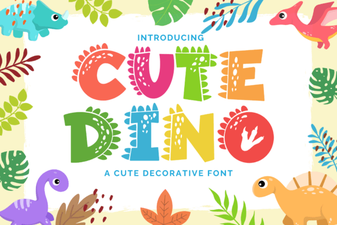 Cute Dinosaur Fonts: Free Downloads and Design Ideas
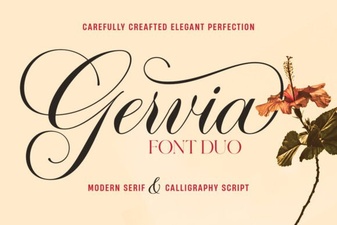 Gervia Font: Creative Typography for Modern Design
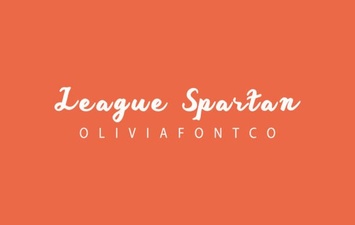 League Spartan Font: Bold Geometric Design for Modern Projects
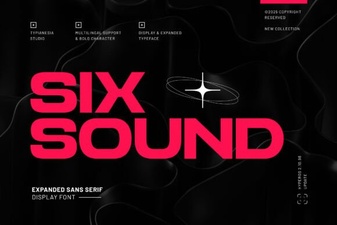 Six Sound Font Font: Design Inspiration & Project Ideas
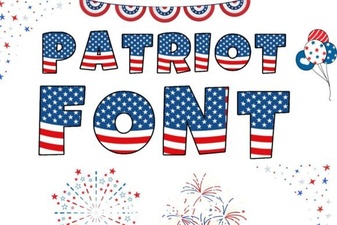 Patriotic Font Design Ideas for Creative Projects
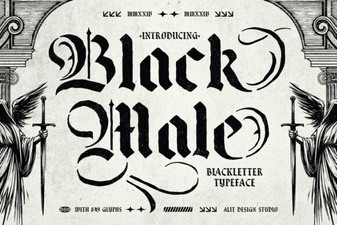 Black Male Fonts: Bold Typography for Designers