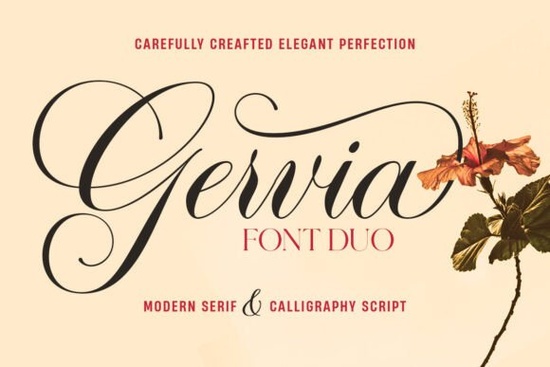
If you design wedding invitations, branding, or product labels, you have probably searched for that perfect balance of elegance and readability. Gervia Font solves exactly that. It is a two‑font duo that combines a flowing calligraphy script with a crisp modern serif. The script feels casual yet refined, and the serif adds structure without feeling stiff. Together they give you enough flexibility to handle logos, headlines, packaging, and more.
What comes in the Gervia Font Duo?
The pack includes two distinct typefaces: Gervia Script Pro and Gervia Serif. Gervia Script is the star for decorative work. It supports simple Latin and Pro Latin characters, and ships with over 800 alternative characters, including swashes, ligatures, and stylistic alternates. That means you can give the same word a different flow and personality just by swapping a letter’s alternate glyph.
Gervia Serif comes in two weights: regular and italic. Its classic letterforms are straightforward and highly readable, making it an excellent partner for the more ornate script. You get all the usual OpenType features, so the fonts work reliably in software that supports them.
Which projects suit this font duo best?
Designers often pick Gervia Font for projects that need a gentle handwritten touch paired with a clean secondary text. It works well for:
- Wedding invitations and save‑the‑date cards
- Logo design and personal branding
- Product packaging and labels
- Book covers and posters
- Signature lines and quote graphics
Small studios and print‑on‑demand sellers appreciate the pairing because it reduces the need to hunt for a second font that complements the script. If you enjoy playful script options for children’s products, you might also find the Kids Daily Notes font useful for a more scribbled, friendly tone.
How do you access the swashes and alternate characters?
Gervia Script Pro relies on OpenType programming to make those 800+ alternates accessible. In applications like Adobe Illustrator, Photoshop, or InDesign, you open the Glyphs panel and simply double‑click the character variation you want. Many design apps also let you turn on contextual alternates, ligatures, and swashes through the OpenType panel, which will automatically replace certain letter combinations with decorative versions.
If you work in Canva, some OpenType features are available when you use the font through Creative Fabrica’s FontCloud integration; you may need to test what your version supports. For most professional projects, using a desktop application gives you full control.
Can Gervia Serif stand on its own?
Yes, and it often does. The serif has a neutral, modern character that holds paragraphs well. Because it includes both upright and italic styles, you can create clear hierarchy in body text without switching typefaces. For long‑form content like book interiors or extended product descriptions, the regular weight stays easy on the eyes, while the italic adds gentle emphasis. When you need a stronger display serif for headlines, the Baloo font family offers a heavier, more playful alternative, though it leans more towards a display style than a reading serif.
What are some similar script fonts to explore?
Gervia Script sits in a sweet spot between formal calligraphy and relaxed handwriting. If you need a more dramatic, narrow script with a similar swash set, Lonely Person font gives you a generous collection of stylistic alternates in a more condensed shape. For decorative holiday projects, Beauty Gingerbread font adds a whimsical, almost frosted look that works nicely on seasonal packaging and greeting cards. Each of these shares the same high‑quality OpenType structure, so you can switch between them while keeping your workflow consistent.
How do you pair the script and serif without making the design feel busy?
Start by letting the script do the heavy lifting for a few key words such as a name or a product title while the serif handles supporting details. A simple rule is to use Gervia Script at a larger point size for the hero message and Gervia Serif Regular for subheadings or taglines. For a classic wedding invitation, you might set the couple’s names in the script with a generous swash on the first letter, then list the event details below in the serif italic. Keep line spacing comfortable and avoid using too many swashes close together; one or two per line usually feels intentional rather than cluttered.
If you are just getting started, open your design software, type a sample word, and scroll through the glyph panel to see all the variations. Try swapping the first and last letters with alternate swashes, and then set the supporting text in Gervia Serif. That simple test will quickly show you why this duo has become a go‑to for crafters and small business owners.
Explore Design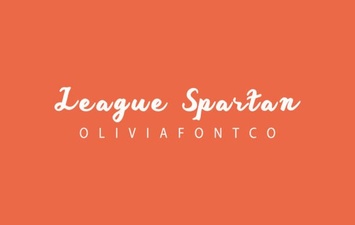 League Spartan Font: Bold Geometric Design for Modern Projects
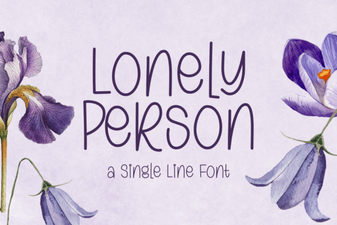 Lonely Person Font: Typography for Solitude and Emotion
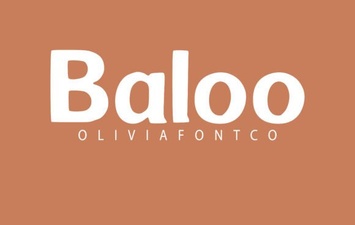 Playful Typography: Discover the Baloo Font
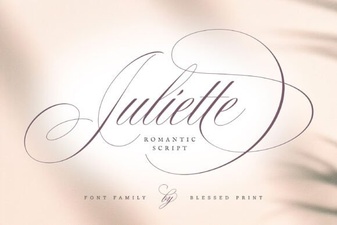 Juliette Font: Creative Design Ideas & Usage Tips
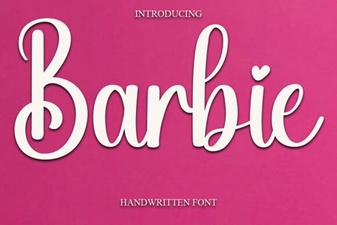 Barbie Font Guide: Creative Uses & Design Inspiration
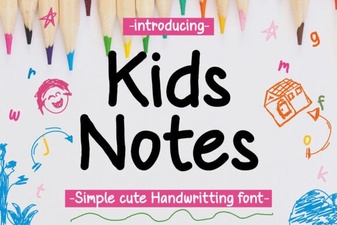 Playful Kids Daily Notes Font for School Projects