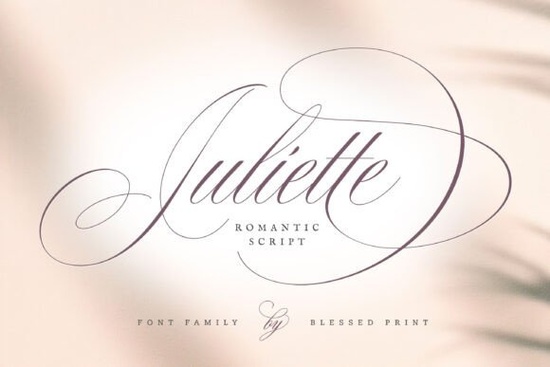
When you’re designing something that needs a touch of old-world romance, the right script font can make all the difference. Juliette Font also known as Juliette Script brings that exact feel with its flowing Spencerian letters and generous swashes. It’s a natural fit for wedding suites, elegant branding, and any project that calls for a hand-lettered look without the ink and paper.
What makes Juliette Font a romantic choice for invitations?
The design itself answers that question. Rooted in the Spencerian script tradition and influenced by classic American handwriting, every letterform in Juliette Script carries a sense of graceful movement. The thin hairlines and soft curves mimic a skilled calligrapher’s pen, while the relaxed slant keeps it approachable rather than stiff. If you’ve struggled to find a font that feels both formal and warm, this one sits beautifully in the middle. It’s especially lovely for wedding invitation suites, where the typeface sets the emotional tone before anyone reads a single word.
How many glyphs and alternates are included?
Juliette Font comes with over 1600 glyphs, which means you get far more than the basic A–Z. There are stylistic alternates, beginning and ending swashes, ligatures, and contextual substitutions for both uppercase and lowercase letters. This opens up countless ways to customize a single word you might set “love” with a flowing initial swash and a delicate exit stroke, or keep it clean without any flourishes at all. Most OpenType-capable software (like Adobe Illustrator, Photoshop, InDesign, or even Canva) will let you toggle these extras through the glyphs panel or OpenType features.
Is Juliette Script easy to use for DIY crafters?
Absolutely. One of the biggest hurdles with highly decorated script fonts is that they can feel overwhelming, but Juliette Script stays practical. The default character set is already polished and legible, so you can type out a full invitation without adjusting anything and still get a professional result. When you do want to add a little flourish, the alternates are simple to insert. Many crafters use it for sticker designs, heat transfer vinyl projects, or greeting cards, and the alternates help each piece feel one-of-a-kind. You can also pair it with a clean sans-serif for contrast in branding or signage layouts.
What projects work best with this Spencerian-inspired typeface?
The obvious starting points are wedding stationery, save-the-date cards, and romantic event signage. But don’t stop there. Small business owners often reach for it to soften a logo with a personal signature style. Print-on-demand sellers use it on mugs, cushions, and apparel where a handwritten message becomes the focal point. Even in editorial design, a short quote set in Juliette Font can warm up a page layout. Because the font includes so many swash options, you can tailor the ornamentation level to the project minimal for body text accents, elaborate for display lines.
How does Juliette compare to other script fonts?
If you’ve browsed other script styles, you’ll notice that each carries its own mood. Beauty Gingerbread Font, for instance, leans into a festive, decorative character perfect for holiday crafts, while our site’s whimsical gingerbread-themed script offers a similar seasonal bounce. For a quieter, more introspective vibe, you might look at Lonely Person Font, which has a raw handwritten texture compare it with our own moody handwritten alternative. If you need something playful for children’s projects, a font like Kids Daily Notes Font feels casual and friendly, much like the informal note-taking script we feature. For a glamorous, high-impact look, Barbie Font captures that bold, doll-like aesthetic, while our glitter-inspired script selection might fit a similar pop of fun. And when you’re after a clean, personal signature for branding, Brittiany Signature Font delivers that authentic hand-signed feel explore our delicate signature-style font for comparable options. Juliette Script stands out in this crowd because it balances ornamentation with readability, never drifting too far into a themed or novelty category.
Where can I find Juliette Font and similar script styles?
You can download Juliette Font directly from Creative Fabrica, where it’s available for personal and commercial use depending on your license. The platform also lets you preview alternate characters before you buy, which is handy if you want to test swashes. Many designers keep a small collection of go-to script fonts for different moods Juliette Script fills the need for elegant, romantic work, while the other fonts mentioned above round out your toolkit for everyday, festive, or signature-driven projects.
Quick checklist for using Juliette Font in your next project
- Open your font software’s glyphs panel to preview all 1600+ characters before you start.
- Turn on ligatures and contextual alternates to automatically replace standard pairs with more realistic connections.
- Test swash options on a single word in your headline to find the right balance of ornamentation.
- Pair with a simple sans-serif (like a light Montserrat or Open Sans) for body text to keep reading fatigue low.
- Check the license for your specific use whether it’s a wedding invitation for a client or a print-on-demand product for sale.
- Print a sample, especially if you’re using heavy swashes, to see how thin strokes reproduce on your chosen paper or surface.
With a little experimentation, Juliette Script will help you create pieces that feel handcrafted and deeply personal.
Try It Free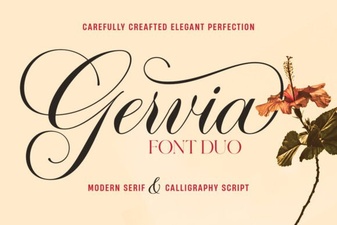 Gervia Font: Creative Typography for Modern Design
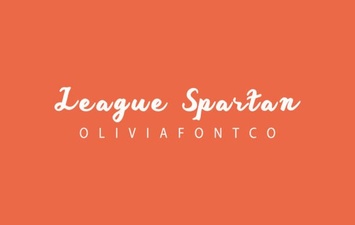 League Spartan Font: Bold Geometric Design for Modern Projects
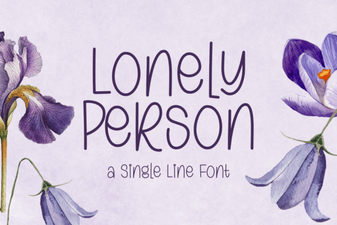 Lonely Person Font: Typography for Solitude and Emotion
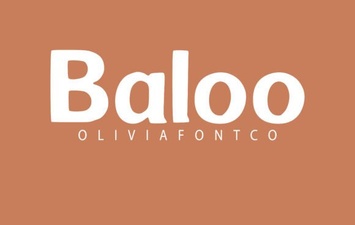 Playful Typography: Discover the Baloo Font
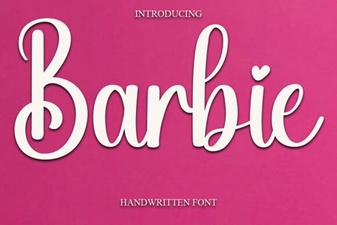 Barbie Font Guide: Creative Uses & Design Inspiration
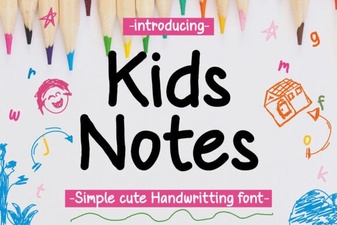 Playful Kids Daily Notes Font for School Projects