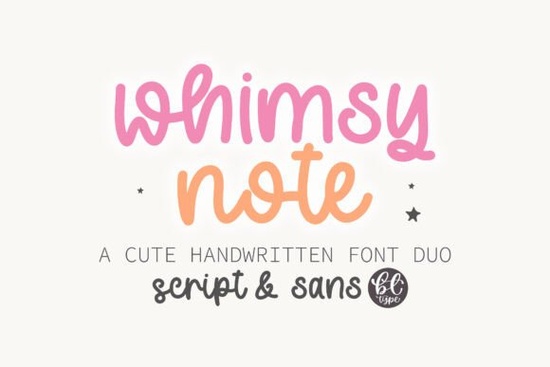
If you’re tired of stiff, overly polished fonts and want something that actually looks like real handwriting on a chalkboard or worksheet, Whimsy Note deserves a close look. I grabbed this duo for a set of printable classroom quotes and wound up using it on tote bag mockups, too. It’s friendly, slightly uneven, and carries that gentle “just wrote this” warmth that’s hard to fake.
Is Whimsy Note a true font duo?
Yes. It comes as two complementary typefaces that pair without extra fiddling. The primary style leans casual and upright, while the secondary style offers a more relaxed, slightly angled script mood. Both share the same weight, x‑height, and informal personality, so mixing them on one layout feels intentional instead of messy. That makes it easy to highlight a headline in one cut and body text in the other without the design falling apart.
What kind of projects suit a chalkboard‑inspired handwritten style?
The chalkboard look isn’t just for teachers. This font works well on:
- Ready‑to‑print wall art with motivational sayings
- Classroom posters, flashcards, and reward charts
- Wedding signage with a rustic, hand‑lettered feel
- Cafe menu boards and social media quote graphics
- Sublimation designs for mugs, t‑shirts, and tote bags
Because the texture feels so authentic, you rarely need to add chalkboard background textures the letterforms already suggest that dusty, hand‑drawn vibe. I printed a sample at 200% scale and the slight waver in the strokes held up beautifully, giving the paper a true homemade feel.
How does this font work for ready‑to‑sell printables and POD?
Most print‑on‑demand sellers and small shops need fonts that look good at multiple sizes and stay legible on different surfaces. Whimsy Note comes with clean outlines and generous spacing, so it doesn’t clump up on textured materials like canvas or uncoated paper. The preview allowed for commercial use, which means you can embed it in Canva templates, sell classroom bundles, or use it on products without additional licensing headaches. Small businesses I’ve talked to like combining it with simple sans‑serifs for a balanced, handmade brand voice.
Can I mix this with other script fonts?
Absolutely. The informal tone of Whimsy Note plays well with softer, more flowing scripts when you need contrast. For a delicate, romantic touch, you might reach for a graceful script with swashes. If you’re designing something for a young audience, a playful kids’ note style adds that crayon‑in‑hand charm. Modern signature looks can come from a free‑flowing signature font, and when you want something a bit quirky with a heartfelt edge, a spaced‑out handwritten font brings a wistful mood. For bright, girly projects, I’ve seen designers pair it with a bubbly script inspired by dollhouse aesthetics to keep things fun and energetic. Each of these has its own voice, which means you can layer personality without your designs looking the same.
What file formats are included and how easy is installation?
The download comes with standard OpenType files (.otf) and TrueType files (.ttf), so it works on Windows, Mac, iPad, and most design apps including Silhouette Studio, Cricut Design Space, Canva (when uploaded), and Affinity products. Installation is the usual double‑click and “install” process. If you’re working on a tablet, the .ttf version tends to import more smoothly in Procreate and similar apps. I did notice that the duo’s alternate glyphs are fully accessible through any software that supports OpenType features no extra PUA‑encoded tricks needed.
Does it really look like natural handwriting on screen and in print?
Yes, and the secret is in the irregular baseline and varying letter connections. Unlike many handwritten fonts that repeat identical pairs, Whimsy Note includes contextual alternates that shift slightly as you type, so double ‘e’ or ‘oo’ combinations don’t look copy‑pasted. That small detail makes a page of text read like one continuous handwritten note. I printed a few test lines on kraft paper and the result could easily pass for real brush‑lettering at a casual glance.
How can you get the most out of Whimsy Note for teaching materials?
If you create your own worksheets, classroom decor, or digital feedback stickers, keep these tips in mind:
- Use the secondary style for instructions and the primary style for headlines or lesson titles to create a clear hierarchy without adding extra fonts.
- Leave generous white space the handwritten rhythm feels more open and friendly when text isn’t packed tightly.
- Pair it with a simple educator font like a clear geometric sans for reading passages, so students never struggle with legibility.
- Play with color. Even though it’s designed for a chalky look, soft pastel tones or white on dark backgrounds amplify the effect without needing extra textures.
You might also check that playful kids’ note option for younger grade levels where a chunkier, more cartoonish letter works better.
Is it heavy on system resources?
Not at all. The file sizes are small under 100 KB each so it loads quickly in web‑based apps and doesn’t slow down design software. I’ve had it active alongside several display fonts in Affinity Designer without any lag.
If you’re still trying to decide, here’s a quick practical checklist before you grab Whimsy Note:
- Open your latest project and ask: would a friendly, realistic handwritten duo strengthen the message without distracting?
- Check that your print method (sublimation, DTG, or home laser) works well with detailed outlines this font performs best without extreme underbase choking.
- Test the secondary style on a short phrase; if it feels too informal for your brand, simply stick with the primary cut and use a subtle serif for body text.
- Grab a free sample quote, mock it up, and see how the letter rhythm holds on fabric, wood, or cardstock.
Taking five minutes to do that will tell you more than any review can.
Learn More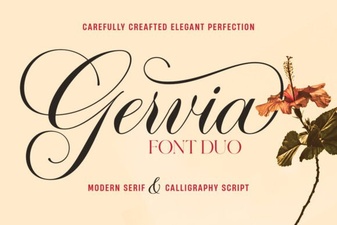 Gervia Font: Creative Typography for Modern Design
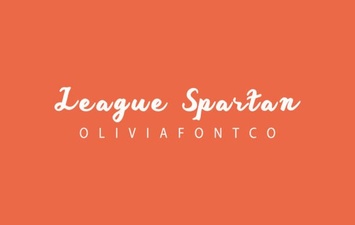 League Spartan Font: Bold Geometric Design for Modern Projects
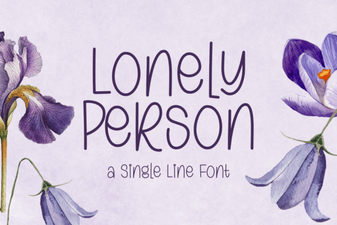 Lonely Person Font: Typography for Solitude and Emotion
 Playful Typography: Discover the Baloo Font
 Juliette Font: Creative Design Ideas & Usage Tips
 Barbie Font Guide: Creative Uses & Design Inspiration