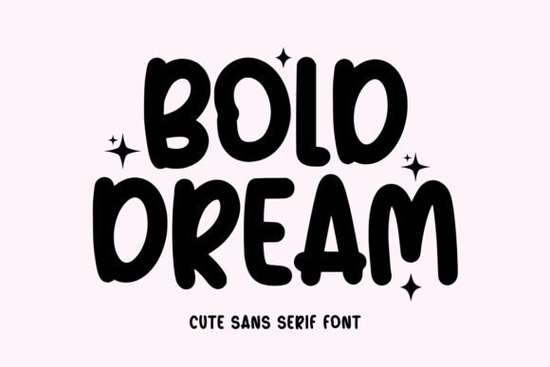
When you need a typeface that feels like a warm smile on a greeting card or a playful sign in a children’s store, Bold Dream steps right in. Bold Dream is a charming, rounded sans-serif with a bold weight that gives every letter a soft, almost bouncy shape. Designers, crafters, and small business owners often hunt for exactly this kind of font something fun but not messy, clear but not stiff.
What kind of projects suit the Bold Dream Font best?
Bold Dream thrives in places where you want to grab attention with a friendly voice. The rounded edges and consistent stroke make it a natural for:
- Holiday cards – the warmth of the shapes fits seasonal greetings without needing extra flourishes.
- Kids’ birthday invitations and party decor – it’s bold enough to read from a distance and playful enough to match a child’s energy.
- Playful logos and wordmarks – a bakery, daycare, pet shop, or handmade craft brand can use this to build instant likeability.
- SVG designs for Cricut and Silhouette – the clean cut lines work well for vinyl decals, iron-ons, and paper crafts.
- Social media graphics and thumbnails – the heavy weight holds up in small mobile screens.
If you search for a bold rounded font that feels hand-drawn but polish, Bold Dream occupies that sweet spot.
How does Bold Dream compare to other rounded sans-serif fonts?
What sets Bold Dream apart is its deliberate quirkiness. Many rounded fonts aim for neutrality they feel safe and office-friendly. Bold Dream pushes a little more character into each glyph. The crossbars are slightly uneven, the curves have a gentle swell, and the overall rhythm feels like someone wrote it with a chunky marker, just tidied up for perfect readability.
For a more straightforward rounded sans, you might look at Six Sound, which has a bouncier, almost handwritten rhythm but stays clean. On the opposite end, Glasgow Grotesk is far more traditional with a vintage edge less playful, more classic. And if you need an even simpler geometric look, Vectura offers minimal, crisp letterforms without the bubbly personality. Bold Dream sits in its own lane: bold, rounded, and unmistakably cheerful.
Is Bold Dream easy to read at smaller sizes?
Because of its heavy weight and generous spacing, Bold Dream holds up well at medium to large sizes. At very small body text (below 12pt in print or 14px on screen), the rounded terminals start to close up the counters slightly. It’s not designed for long paragraphs of copy. Instead, treat it as a display font. Use it for headlines, feature titles, short quotes, or a few words you want to shout but in a kind way. Pair it with a lighter sans-serif like Open Sans or Montserrat for the supporting text, and you’ll keep the page both friendly and legible.
What file formats and licenses does Bold Dream include?
Like many Creative Fabrica assets, Bold Dream typically comes in the standard formats: OTF, TTF, and sometimes WOFF for web use. Before you download, check the exact listing on the Bold Dream product page for the most current file list. Most crafters and designers will be fine with OTF for desktop use. If you plan to use the font on your website, make sure the license allows web embedding. Creative Fabrica’s licensing is usually clear about personal and commercial use, so read the terms if you sell physical products.
Can I use Bold Dream for print-on-demand products?
Yes this is one of the first questions print-on-demand sellers ask, and it’s a smart one. Bold Dream’s simple, bold shapes make it ideal for t-shirts, mugs, tote bags, and posters. The chunky letters survive the slight distortion that can happen during printing on fabric. Because the font doesn’t rely on thin hairlines or delicate details, it reproduces cleanly on textured materials. Just make sure your POD platform’s template space lets you place the design at a comfortable size, and you’re set.
How does Bold Dream handle multilingual text?
The character set usually covers basic Latin, numbers, punctuation, and common accented letters. It should support most Western European languages right away. If you need Cyrillic or extended glyphs, check the font’s glyphs panel before you commit. For holiday crafts and kids’ designs, the standard character set is often more than enough.
What are some practical tips for pairing and styling Bold Dream?
Because Bold Dream has such a distinct personality, you’ll get the best results when you let it breathe. Here are a few real-world tips from designers who use playful sans-serif fonts every day:
- Keep it large. Use it at 24pt and above in print or 30px+ on screen to appreciate the rounded shapes.
- Limit the color palette. The font looks great in one or two solid colors. Try bright hues on a light background, or white on a bold background.
- Add a subtle shadow or offset outline – this can give a sticker or badge effect without complicated software.
- Pair with a simple serif for contrast. A light serif like Baskerville or Lora creates an interesting high-low mix, especially for wedding or baby shower stationery.
- Avoid all caps for long phrases. The rounded forms already fill a lot of space; uppercase can feel too blocky. Mix in lowercase for a nicer flow.
What if I want a slightly different tone than Bold Dream?
Sometimes you need the playfulness but with a thinner outline or a more geometric skeleton. In that case, browse through the sans-serif fonts category on Creative Fabrica. You’ll find variations that lean more retro, more marker-style, or more minimalist. Bold Dream is bold and round, but not cartoonish if you need something even softer, fonts with “bubble” or “balloon” in the name might be a better fit.
Quick-start checklist for using Bold Dream Font in your next project
- Download the OTF or TTF file from the product page.
- Install on your computer and test it at the actual size you’ll use don’t just preview at 100%.
- Write a short headline or greeting to see how the letters interact. Adjust letter spacing if needed (usually slightly positive tracking helps).
- Pair it with a clean secondary font for body text.
- Convert to outlines if sending to a print shop, to avoid font embedding issues.
- Check the license for the exact number of end products or allowed uses, especially if you sell digital designs.
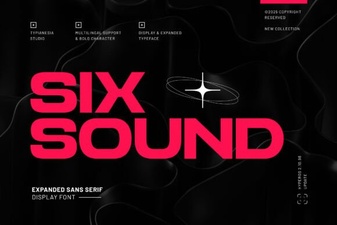 Six Sound Font Font: Design Inspiration & Project Ideas
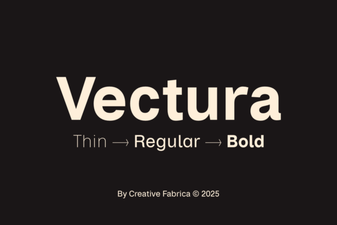 Explore Vectura Font for Creative Design Projects
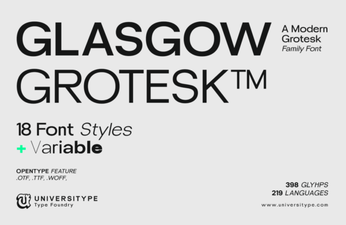 Glasgow Grotesk Font: Fresh Ideas for Modern Typography
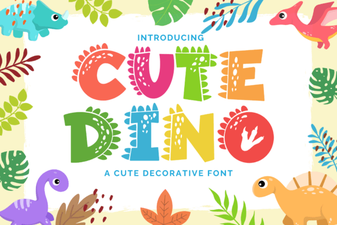 Cute Dinosaur Fonts: Free Downloads and Design Ideas
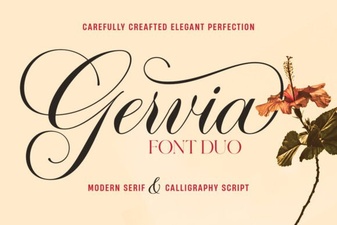 Gervia Font: Creative Typography for Modern Design
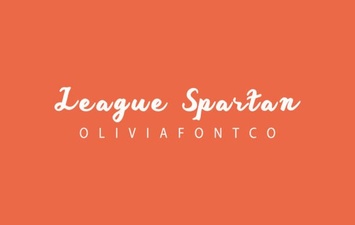 League Spartan Font: Bold Geometric Design for Modern Projects