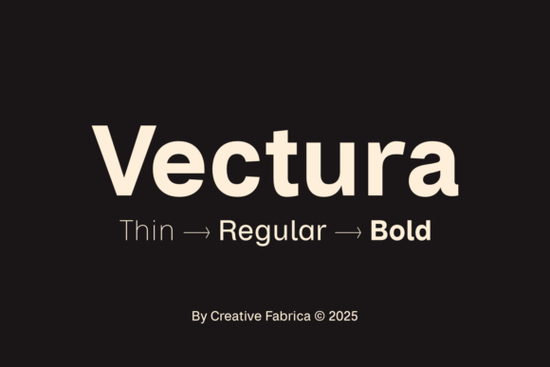
If you’ve ever felt that a design project just needs a clean, unfussy sans-serif that doesn’t scream for attention, Vectura Font is worth a long look. Inspired by the same neutral DNA that made Helvetica a household name, Vectura brings six well-crafted styles including thin, regular, bold, and their matching italics into a single family. It’s a practical workhorse for branding, editorial layouts, web headers, and anything that relies on crisp readability without decorative distractions.
What styles come with the Vectura family?
Vectura ships with six weights that cover most of the hierarchy you’ll need in a single project:
- Thin delicate and airy, ideal for large headlines or elegant stationery
- Thin Italic gives a subtle slant while keeping a light footprint
- Regular the everyday workhorse, optimized for body copy and UI text
- Regular Italic adds gentle emphasis without breaking the visual flow
- Bold confident and grounded, perfect for calls to action or section titles
- Bold Italic maintains the weight while introducing a forward-moving energy
Because the entire family is drawn with the same x‑height and cap height, you can switch between weights and upright or italic styles without the spacing falling apart. That consistency is a huge time-saver when you’re laying out a magazine spread, a website, or a product label.
How does Vectura compare to Helvetica?
The short answer is that it captures the same timeless, neutral tone while offering small refinements that help it feel fresh rather than frozen in the 1950s. Vectura’s letterforms are slightly more open in the counters, and the terminals have a marginally softer cut. This gives it a friendlier reading rhythm at text sizes, without losing the stoic professionalism you expect from a neo-grotesque. The built-in subtle alternates (like a one‑story ‘a’ or a straightened‑leg ‘R’) let you dial the personality up or down, which is something you’d normally need a separate font variant for.
Is Vectura suitable for branding and logos?
Absolutely. Because the family doesn’t lean heavily on a single decade’s fashion, it works for both contemporary startups and established corporate identities. The thin and bold weights cover the extremes needed for a logo lockup: a bold company name paired with a thin tagline, for instance. And since all styles include the same alternate glyphs, you can add a custom touch to a wordmark without switching families or hunting for a matching font. Designers also find that the generous spacing and kerning tables let them set Vectura tight or loose depending on the brand’s personality.
Can you use Vectura for web and print-on-demand projects?
Yes. The font is built with screen rendering in mind, so it stays crisp on low‑resolution displays and looks just as clean on a high‑DPI screen. For print-on-demand sellers, that means your t-shirt designs, mug graphics, or poster mockups won’t develop fuzzy edges when scaled up. It also plays nicely with other sans-serif families. If you need a more expressive option for headlines, you might pair it with something like Bold Dream, which brings a wider, more geometric posture without clashing with Vectura’s neutrality.
How does Vectura stack up against other understated sans-serifs?
There’s a whole universe of low‑contrast sans-serif fonts, but a few have clear personalities that set them apart. For a more vintage, industrial texture, Glasgow Grotesk trades precision for character, with its slightly irregular strokes and authentic print feel. If you want something that leans into soft, rounded terminals for a warmer tone, Six Sound is a solid companion font. Vectura sits in the middle cleaner than a true grotesque but not as sterile as some early digital geometrics. It’s the kind of typeface that works hard in the background while you focus on the layout.
What should you look for in the license?
When you grab Vectura on Creative Fabrica, check whether your intended use falls under their standard license or the full commercial POD (print‑on‑demand) license. The standard license usually covers unlimited physical prints for personal use and client work, but if you’re selling end products directly like downloadable print templates or mass‑produced merchandise you’ll want to confirm the extended terms. It’s a quick check that saves headaches later.
When are italics the smarter choice?
Many designers treat italic styles as an afterthought, reaching for them only to cite a book title or add stress. With Vectura, the italics are genuinely refined enough to carry short passages. Use Thin Italic for pull quotes or elegant metadata, Regular Italic for subtle differentiation in body text, and Bold Italic for emphasis inside a bold paragraph think of a testimonial where you want to highlight a key phrase without underlining. Because they’re not just slanted versions of the upright letters, the italic forms have their own slightly narrower proportions that feel natural in flowing text.
For a deeper look at how Vectura handles real‑world typesetting challenges, you can peek at the Vectura specimen on Creative Fabrica to see the alternates and spacing in action.
A quick checklist before you start using Vectura
- Download the full family even if you think you’ll only use two weights, having all six prevents last‑minute scrambling when a client asks for a thinner or italic variant.
- Test the subtle alternates in your logo or headline: a small glyph swap can make a brand mark feel bespoke without adding complexity.
- Check the line height in your layout; Vectura’s open counters benefit from a slightly generous leading (around 130–140% of the point size).
- Pair with a contrasting serif for editorial work something with a bit of stroke contrast brings out Vectura’s clean edges beautifully.
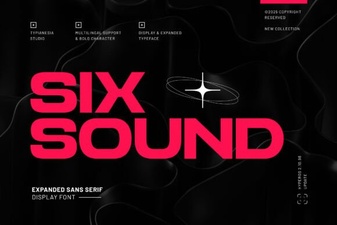 Six Sound Font Font: Design Inspiration & Project Ideas
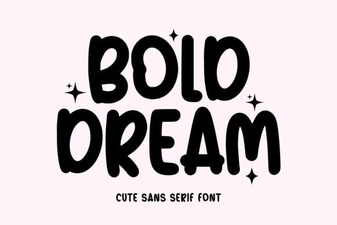 Bold Dream Font: Unleash Creativity in Every Design
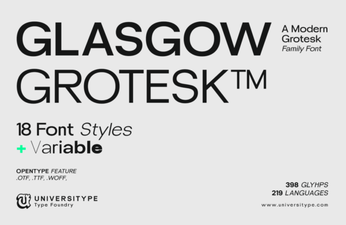 Glasgow Grotesk Font: Fresh Ideas for Modern Typography
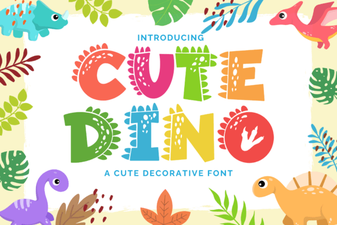 Cute Dinosaur Fonts: Free Downloads and Design Ideas
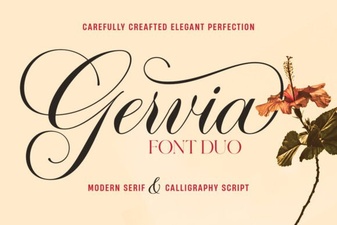 Gervia Font: Creative Typography for Modern Design
 League Spartan Font: Bold Geometric Design for Modern Projects