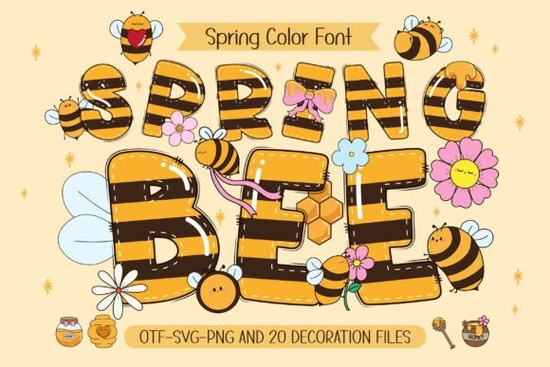
When you need a cheerful, springtime typeface that feels like sunshine and bee buzzes, the Spring Bee font delivers exactly that. It’s a colorful hand-drawn font filled with tiny bee details and 20 matching doodle cliparts a chubby bee, bright flowers, and playful spring motifs all designed to work together in kids’ crafts, T-shirt designs, party decor, and personalized DIY gifts. Whether you sell finished goods or just like to make things for family, this font gives you a complete cheerful toolkit in one download.
Is the Spring Bee font a color font or regular?
Spring Bee comes in two versions inside the same package. The black version works like any standard OTF/TTF font you type out letters and they’ll appear in a solid color ready for cutting machines. The color version is an OTF/TTF bitmap-style color font (also sometimes called an OpenType-SVG font). When used in compatible programs, that version shows up right away with the built-in bee pattern, flowers, and green accents. You don’t have to layer colors yourself; the design is already inside the font. That saves a huge amount of time if you’re making print-on-demand merchandise or party printables.
Can you use this font with Cricut Design Space?
The answer depends on the version. The black version of Spring Bee is fully compatible with Cricut and other cutting machines because it’s a standard single-color font. The color version, however, won’t work in Cricut Design Space Cricut’s software doesn’t yet support this type of multi-color OTF. For cutting projects, always install the black font file and then color the design after you’ve cut the vinyl or paper. Programs like Photoshop, Illustrator, Silhouette Studio, and Inkscape do support the color font, so for printables, sublimation, or digital invitations, you can use the color version directly.
What types of projects is Spring Bee best for?
The playful vibe of this font fits a wide range of uses, especially anything that needs a sunny, kid-friendly feel. Crafters and small business owners often buy it for:
- Personalized kids’ items: name puzzles, backpacks, water bottle labels, and room decor.
- Spring and Easter merchandise: T-shirts, tote bags, garden signs, and seasonal mugs.
- Party supplies: invitations, cupcake toppers, favor tags, and banners.
- Scrapbooking and cardmaking: cheerful layouts for birthdays, baby showers, or thank-you notes.
- Printable wall art: nursery quotes, classroom posters, and sunny day affirmations.
Because the font includes 20 outline-style doodle cliparts, you can mix the letters with the chubby bee and flower illustrations without downloading extra graphics. If you’ve already played with rainbow-filled doodle fonts for school projects, you’ll find a similar all-in-one convenience here, just with a garden-theme twist.
How do you install and use the matching clipart?
The 20 doodle elements are provided as separate files (likely PNG with transparent backgrounds and/or SVG). In a design program, you simply place them next to your typed words. For example, type “Happy Spring” with the font, then tuck a doodle bee beside it and scatter a few flowers. Because the color palette is already unified soft yellows, pinks, greens, and warm orange your compositions look cohesive automatically. For print-on-demand sellers, this means you spend less time tweaking colors and more time listing products.
Does Spring Bee include all standard characters?
Yes, the black version offers typical A-Z, a-z, numerals, and basic punctuation. The color version might have a slightly smaller set depending on the font format, but you’ll still get the whole alphabet in that patterned style. If you need a more traditional notebook-lettering look for a project, you can always pair this playful font with something like a composition book pattern color font for a mixed-style design. That can work well for school-themed birthday sets where some elements feel classroom-oriented and others feel pure spring.
What do you need to check before buying for a cutting machine?
As mentioned, choose the black OTF/TTF for any cutting software. When you import it into Cricut Design Space, Silhouette Studio, or Brother ScanNCut, it will behave like any other font you can weld, resize, and cut. If you love how cheerful school-themed fonts look on classroom door decals but need a spring vibe instead, this black version will let you cut vinyl designs for classroom windows or mini garden markers with the same ease. Just remember: you’ll add the bee pattern by cutting the background layer or using print-then-cut, since the cutting machine won’t print the color pattern from the font file itself.
How can you use the color version for sublimation or printables?
For digital projects that stay on screen or get printed directly, install the color OTF or TTF and open it in a supported program like Photoshop or Illustrator. Type your text, see the pattern instantly, and export as a high-resolution PNG or JPG for sublimation blanks, sticker sheets, or card inserts. The doodle bee and flower clipart work beautifully here too position them around the text, add a soft green background, and you have a finished spring poster in minutes. If you create seasonal product bundles, consider pairing this font’s warm spring palette with patriotic color fonts to cover later holidays in your shop.
Why do designers and POD sellers like “all-in-one” font and clipart packs?
The real value is time savings and consistent branding. Instead of hunting for a matching bee from one illustrator and floral elements from another, everything is drawn by the same artist. The style of the chubby bee matches the font’s playful letterforms exactly. This kind of cohesion is rare, and it matters when you’re creating a cohesive Etsy listing, a birthday party collection, or a social media graphic for a craft fair. For hobbyists, it simply removes the frustration of mismatched elements.
What's a simple first project to try?
If you’re new to color fonts, start with a basic 5×7 inch spring greeting card. In a program that supports the color OTF, type a short phrase “Hello Sunshine” using Spring Bee. Insert the doodle bee clipart near the word, maybe resting on a letter. Place two flower elements in opposite corners. Export as a PDF or high-res image, print at home on cardstock, and you’ll see exactly how the font’s built-in pattern creates a polished look without extra steps. For Cricut users, instead type the same phrase with the black font, cut it from adhesive vinyl in yellow and green, and assemble the bee pattern by applying a printed background or layering colored cardstock.
Quick checklist before you download
- Know your software: Are you cutting or printing? Black font for cutting, color font for digital printing.
- Check program compatibility: If you want the pre-colored pattern, use Photoshop, Illustrator, Silhouette, or Inkscape not Cricut.
- Plan the project type: Kids’ items, garden signs, spring party sets all benefit from the matching doodle graphics.
- License needs: The standard license covers most POD and handmade physical sales; check Creative Fabrica’s terms if you plan to sell mass-produced items.
- File backup: Save both the color and black versions so you can switch between them later without re-downloading.
Having a font like Spring Bee means you can whip up a smiling, blooming design in minutes, whether it’s for a custom tote bag order, a classroom bulletin board, or a just-because springtime greeting.
Explore Design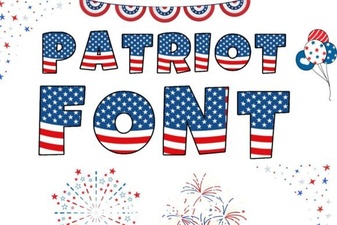 Patriotic Font Design Ideas for Creative Projects
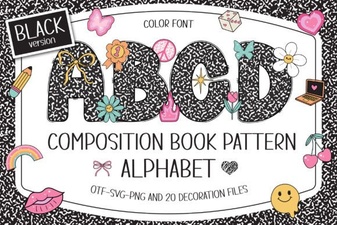 Composition Book Pattern Font: Retro Notebook Typography
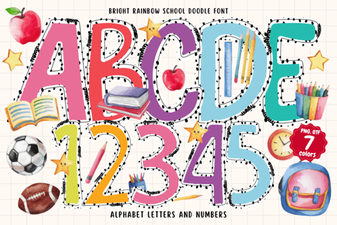 Bright Rainbow School Doodle Font for Fun Creative Projects
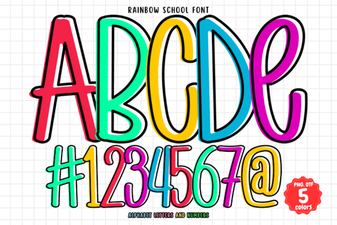 Rainbow School Font: Fun Designs for Creative Projects
 Cute Dinosaur Fonts: Free Downloads and Design Ideas
 Gervia Font: Creative Typography for Modern Design