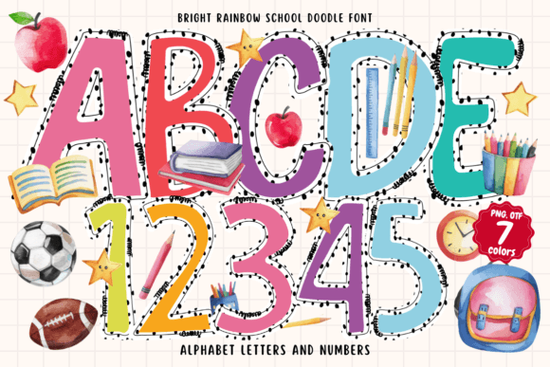
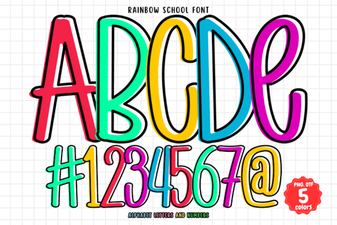
Bright Rainbow School Doodle Font is a lively, hand-drawn color typeface that fills each letter with a bold rainbow gradient and playful doodle accents. If you’re a teacher making classroom posters, a crafter designing birthday cards, or a print‑on‑demand seller creating kids’ apparel graphics, this SVG font adds an instant cheerful lift. Unlike regular fonts where you manually add color and details, the Bright Rainbow School Doodle Font already has the rainbow fill, stars, dots, and scribbles built right into each character, so your text looks finished the moment you type.
What makes the Bright Rainbow School Doodle Font different from standard fonts?
Most fonts you download are single‑color outlines. They rely on a solid fill that you apply inside your design software. A color font like this one uses the OpenType‑SVG format to store multiple colors, gradients, and tiny graphic elements inside the font file itself. When you type a letter, the rainbow stripes, polka dots, and miniature school doodles appear automatically. You don’t need to layer text boxes or hunt for matching clip art – the doodle accents are part of the font’s character set. This saves time on children’s party invitations, classroom newsletters, and scrapbook pages where a playful, hand‑drawn look matters.
Which software and cutting machines support this rainbow doodle font?
The file format is OpenType‑SVG. That means you get full rainbow color in recent versions of Adobe Photoshop, Adobe Illustrator, Silhouette Studio (Designer Edition and above), and Inkscape. In these programs, the font appears with its original multi‑color doodle style right away.
Important for crafters: The standard OTF and TTF files included in the download are not compatible with Cricut Design Space. Cricut machines rely on the basic single‑color outline version, which will strip away the rainbow fill and doodle details. If you plan to use this font for cutting, stick with Silhouette or a software workflow that can handle SVG color fonts without degrading the design. Always test a sample cut before running a big batch.
What design projects work best with a rainbow doodle font?
The built‑in whimsy makes this font a natural fit for projects aimed at kids and anyone who loves a lighthearted, vibrant look. Designers and crafters often use it for:
- Birthday invitations and party decorations – the rainbow effect instantly signals fun without extra work.
- Classroom and teacher resources – classroom rules posters, labels, and flashcards feel warmer and more engaging.
- Holiday crafts – overlay the font on Easter egg tags, summer BBQ flyers, or back‑to‑school signs.
- Print‑on‑demand products – kid’s t‑shirt graphics, tote bags, and mug designs really pop when the rainbow fills print in full color.
- Scrapbooking and journaling – the doodle touches add personality without overwhelming the page.
- Digital stickers and social media graphics – the bright colors grab attention in stories and posts.
How do you install and use a color font correctly?
Installing an OpenType‑SVG font is similar to any other font: download the .otf or .ttf file, right‑click (or double‑click) and choose Install. However, to see the rainbow and doodle details, your software must support the SVG color extension. Here’s a quick breakdown:
- Photoshop (CC 2017 and newer): Select the Type Tool, then choose the font from the list. The rainbow colors and doodles appear in the document window. If you don’t see them, check your “Font” panel settings or restart Photoshop.
- Illustrator (CC 2018 and newer): You may need to enable “Show SVG Font” in the preferences or simply scroll past the regular fonts to find the color version listed separately.
- Silhouette Studio: The SVG color version works in Designer Edition and above. Type your text, and the software will keep the full color. You can then send to print or use the Print & Cut feature.
- Inkscape (1.0 and later): Open‑SVG fonts are supported. Type your text and the rainbow fill appears. This is a free alternative if you’re not using Adobe products.
If you need to use the font in a program that doesn’t read SVG color (like older word processors or Cricut Design Space), you’ll only see a plain, single‑color outline. In those cases, you might export a colored raster image from one of the compatible programs and then import it into your layout.
Are there similar colorful fonts for other classroom and holiday themes?
If you love the playful energy of this rainbow doodle font, you might also want to explore a few other color font options that pair beautifully for different occasions. For a classic school notebook style, try a composition book pattern font that mimics the familiar black‑and‑white marbled cover with colorful lettering. When spring arrives and you’re working on garden‑themed crafts, a cheerful spring bee font brings sunshine and buzzing bumblebees into your text. Independence Day, Memorial Day, or any red‑white‑and‑blue celebration benefits from a patriotic-themed font filled with stars and stripes. For layouts that need the rainbow color without the doodle decorations, a clean rainbow school font offers bright, legible letters that work well in simpler poster designs. Each of these fonts follows a similar color‑font workflow, so if you’re comfortable with one, the others will install and behave in much the same way.
Quick pre‑download checklist
Before you download the Bright Rainbow School Doodle Font, go through this short list to avoid frustration later:
- Confirm your design software version – Photoshop CC 2017+, Illustrator CC 2018+, Silhouette Studio Designer Edition (or higher), or Inkscape 1.0+ are required for true color display.
- If you plan to cut with a machine, note that Cricut Design Space won’t show the rainbow colors or doodles. Silhouette users can print‑then‑cut successfully.
- Check your printer settings. Color fonts can look slightly different on screen vs. on paper, so run a test print first if final color accuracy matters.
- Use the glyphs panel in your software to access all the special doodle characters – many are mapped to alternate keys or the full character set.
- If you must use this design in Cricut, convert the text to an image in Photoshop or Illustrator first, then import the PNG into Design Space.
When you’re ready to add that instant rainbow boost to your next project, you can find Bright Rainbow School Doodle Font over on Creative Fabrica. A little doodle charm can go a long way toward making everyday crafts feel like a celebration.
Explore Design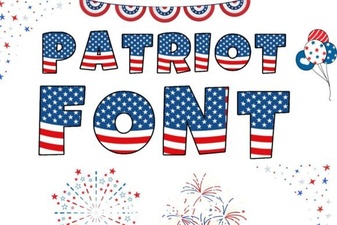 Patriotic Font Design Ideas for Creative Projects
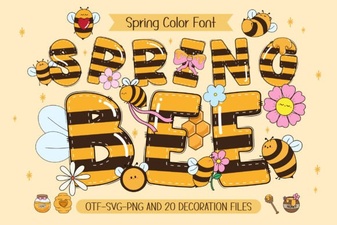 Spring Bee Font: Buzzing Design Ideas & Inspiration
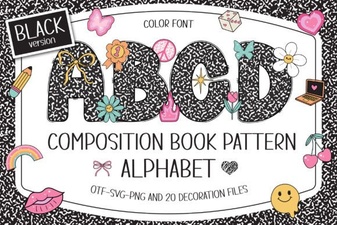 Composition Book Pattern Font: Retro Notebook Typography
 Rainbow School Font: Fun Designs for Creative Projects
 Cute Dinosaur Fonts: Free Downloads and Design Ideas
 Gervia Font: Creative Typography for Modern Design