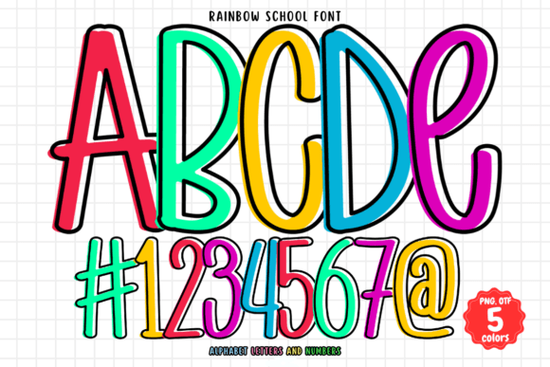
If you create cheerful classroom materials, party decorations, or playful branding, a vibrant handwritten font like Rainbow School Font can quickly brighten up your work. This multicolored typeface feels lively and approachable, with a hand-drawn look that fits school projects, crafty posters, and holiday designs equally well. Instead of a flat solid color, each letter is pre-filled with a rainbow palette, so you get an instant burst of color without layering effects.
Is this a regular font or a color font?
Rainbow School Font is an OpenType-SVG color font. That means the letterforms include embedded colored shapes rather than relying on a single fill color you change in a swatch. When you install it and use compatible software, you see the rainbow spectrum built right into each character. It’s not a traditional monochrome font where you pick a solid color after typing. The OTF and TTF files in the package are not the color version they are standard single-color outlines for programs that don’t support SVG fonts. So if you only install the TTF or OTF, you won’t see the rainbow effect.
Which software works with this multicolored font?
Color OpenType-SVG fonts need applications that can render the SVG data. Rainbow School Font works smoothly in:
- Adobe Photoshop CC (2017 and later)
- Adobe Illustrator CC (2018 and later)
- Inkscape
- Silhouette Studio (Designer Edition or higher, for print projects)
If you use Affinity Designer, Procreate, or Canva, color SVG font support varies, and you might only get the black fallback version. Always test before committing to a large project. The product description also points to a helpful Ultimate Font Guide on Creative Fabrica that explains how to use this type of font in detail.
Can I use Rainbow School Font with Cricut?
This is one of the most common questions from crafters. The simple answer is no the color font does not work inside Cricut Design Space as a true color SVG font. Cricut’s font manager does not support OpenType-SVG color tables. If you upload the TTF or OTF file to Cricut, you’ll get a standard single-color outline font that lacks the rainbow fill. While you could still use those outlines for a basic cut, they won’t give you the instant multicolor look. For print-then-cut projects, you could create your design in Photoshop or Illustrator first, export a PNG or JPG, then upload that image to Design Space. But the font itself won’t behave as a color font inside Cricut’s text tool.
What projects does a colorful school font work best for?
Because of its playful, informal style and bright rainbow fill, Rainbow School Font excels on materials that need a friendly, energetic feel. Here are a few areas where it really stands out:
- Classroom decorations and worksheets name tags, bulletin board headers, welcome signs, and activity sheets feel more inviting with rainbow lettering.
- Event and holiday printables birthday banners, party favors, or seasonal decor. If you need a more specifically themed look, a patriotic color font can bring red, white, and blue flair to the 4th of July, while a spring bee font adds buzzing insect motifs to Easter or garden party designs.
- Print-on-demand products t-shirts, tote bags, mugs, and stickers gain a casual, handcrafted feel. The pre-colored letters save time because you don't need to pick gradients or add individual color layers.
- School supply mockups and branding if you sell digital products or run a small shop aimed at teachers, a composition book pattern font can pair beautifully with Rainbow School Font. The notebook-style lettering grounds the rainbow look with a classic back-to-school vibe.
- Scrapbooking and card making a quick title or sentiment in multicolor adds cheer without messy blending.
For projects that need extra doodle elements baked into the letters, the bright rainbow school doodle font offers similar rainbow lettering with hand-drawn stars, swirls, and school icons mixed in. It’s worth exploring both if you want more decorative variety within the same color palette.
How do I start using the font in Photoshop?
Installation is as simple as any other font. After downloading, locate the .OTF (which contains the SVG color data) and double-click it. Your operating system’s font manager will install it. Then launch Photoshop, pick the Type tool, and find Rainbow School in your font list. Because it’s a color font, Photoshop should display the rainbow fill automatically. If you only see solid black letters, check that you installed the OTF file and that your Photoshop version supports SVG fonts. On some systems, you might need to enable “Show Fonts in SVG” or restart the app. In Illustrator, the process is similar type with the font and the color will appear without extra steps.
Are there any size or scaling restrictions with color SVG fonts?
OpenType-SVG fonts rely on embedded raster or vector color data, so they scale like any vector asset inside supported software. You can increase the text size dramatically without losing quality as long as you stay in a vector-friendly environment like Illustrator or Inkscape. If you later flatten the design or export it as a PNG for print-on-demand, set the resolution high enough (300 DPI) for crisp results. The font’s letter spacing and line height behave just like a normal handwritten font, so you can adjust kerning and leading to suit your layout.
Can I change individual colors or are they locked?
The rainbow palette is baked into the font’s SVG spec. In most programs, you cannot easily recolor the glyphs the way you would with a standard monochrome font. If you need a different color scheme, you can convert the text to outlines in Illustrator or Inkscape and then manually recolor each letter using vector editing tools. That’s a bit more work, but it’s doable. Some designers use the font as a base, expand it, and then apply custom color palettes for a completely unique look while preserving the hand-drawn letterforms.
Quick compatibility checklist before you grab the font
- I’ll use Adobe Photoshop CC, Illustrator CC, Inkscape, or Silhouette Studio (Designer Edition).
- I understand the TTF/OTF fallback files won’t show color and are not compatible with Cricut’s text tool for multicolor use.
- I know that I’m getting an OpenType-SVG color font, not a layered or bitmap font.
- If I need to recolor the letters, I’ll expand them to outlines inside a vector editor.
- For print-on-demand, I’ll create my design in a supported app and export a high-resolution JPG or PNG.
With these points in mind, you’re ready to add a friendly rainbow handwritten look to your next project. Grab the font from Creative Fabrica, fire up Photoshop or Illustrator, and see how effortlessly it transforms ordinary text into something smile-worthy.
Try It Free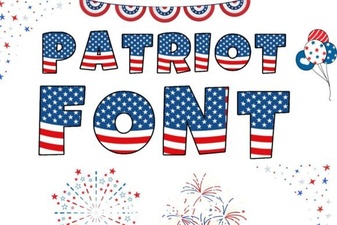 Patriotic Font Design Ideas for Creative Projects
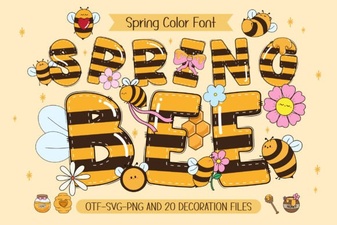 Spring Bee Font: Buzzing Design Ideas & Inspiration
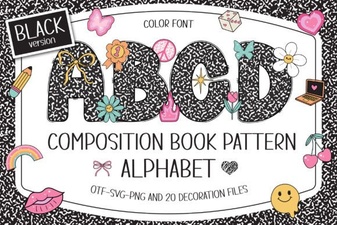 Composition Book Pattern Font: Retro Notebook Typography
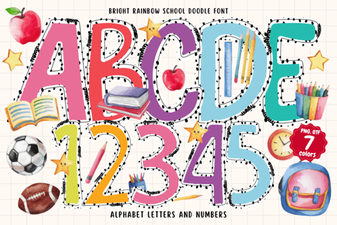 Bright Rainbow School Doodle Font for Fun Creative Projects
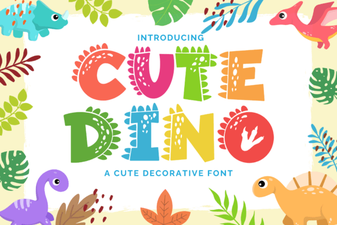 Cute Dinosaur Fonts: Free Downloads and Design Ideas
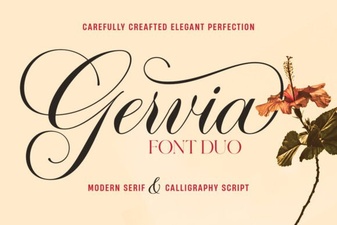 Gervia Font: Creative Typography for Modern Design