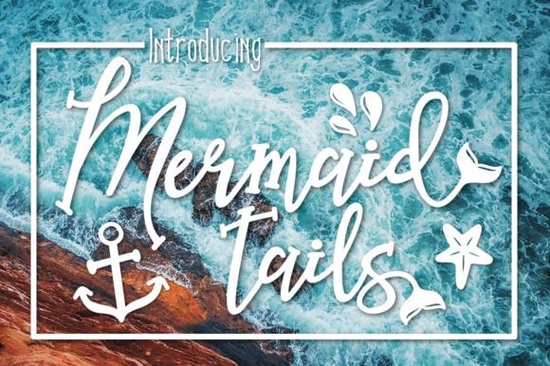
If you’re looking for a friendly, hand-drawn script that brings a little seaside magic into your projects, Mermaid Tails might be exactly what you need. This whimsical font wraps flowing letterforms around a world of seashells, waves, and anchors, making it a playful pick for beach-themed designs, summer invitations, and any craft that wants a splash of ocean charm.
What kind of designs shine with Mermaid Tails?
Think of any project where a light, magical coastal feeling fits the mood. The soft curves and breezy baseline of this script work especially well for:
- Summer party invitations and save-the-dates
- Baby shower decorations with a mermaid or under-the-sea theme
- Wall art and nursery prints
- Sublimation transfers for t‑shirts, tote bags, and mugs
- Social media graphics for beachy brands and handmade shops
- DIY scrapbook titles and journal covers
- Product packaging for bath salts, candles, or seaside boutiques
Because the font includes a full set of nautical doodles shells, starfish, waves, and anchors you don’t have to search for extra clip art. Just type a few letters and sprinkle in the ornaments directly from the glyphs panel. For crafters and small business owners, that means faster design work without losing the handmade feel.
How do the built-in doodles and ligatures work?
Many of the extra ocean elements are mapped to standard character slots or accessible through OpenType features. You can usually find them in the glyphs panel of design software like Adobe Illustrator, Silhouette Studio (designer edition), or Affinity Designer. Some ligatures automatically connect common letter pairs like “th” or “oo” with a flowing, wave-like join. If you’re using a program that doesn’t support OpenType, you might still copy and paste the ornament glyphs from a character map.
This flexibility means you can keep your design purely typographic. Instead of adding separate image files for a tiny anchor or shell, you can insert it right inside your text box handy for print‑on‑demand sellers who need clean, scalable vectors without extra layers.
Is Mermaid Tails easy to read for longer text?
The short answer is no and that’s completely on purpose. This is a display font, made for headlines, short quotes, and decorative accents. The highly stylized letters and uneven baseline create that whimsical look, but they can tire the eye if you use them for full paragraphs. Pairing it with a clean, readable serif for body text is a smart approach.
Even though Creative Fabrica lists Mermaid Tails in the serif fonts category (due to how the platform groups certain styles), its heart is pure hand‑lettered script. If your project needs a true serif for invitations, product descriptions, or website copy, you have several great alternatives right on the same site. A crisp, no‑nonsense choice like Vernacular Serif works beautifully for modern stationery, while Libre Baskerville brings a classic literary feel with generous spacing. You can use a subtle serif for the details and let Mermaid Tails take center stage in the title.
If you’re exploring other options, take a look at a clean serif like Vernacular for a straightforward, no‑fuss companion. For fuller paragraphs that need a bookish vibe, a classic serif with comfortable spacing is equally easy to pair with whimsical scripts.
What license do I need for commercial use?
All Creative Fabrica fonts come with clear licensing, but the right one depends on how you’ll use the design. If you’re a print‑on‑demand seller or small business creating physical products for sale, a standard commercial license typically covers up to a certain number of end products. Many crafters simply use the All Access subscription, which includes a generous commercial allowance for thousands of fonts.
Before you upload a design to a POD platform or sell items with this font, double‑check the exact license terms on the Mermaid Tails font page. Look for notes about embedding, server use, and trademark limitations. Taking a minute to confirm the details protects your small business down the line.
How does Mermaid Tails compare to other beach and script fonts?
There are plenty of watery scripts out there, but Mermaid Tails stands out by including the ocean doodles right inside the font file. You won’t need to buy separate clip‑art sets or spend extra time aligning shells and waves. The letterforms themselves have a playful bounce, with strokes that look like they were drawn with a brush marker on a sunny afternoon.
Compared to crisp, geometric script fonts, this one leans more “organic craft fair” than “luxury wedding.” If your brand voice is cheerful, approachable, and a little bit magical, it will feel right at home. For projects that call for a completely different tone say, a formal beach wedding suite you might still use a few of the ornaments as accent elements while choosing a more restrained calligraphy font for the names.
Quick tips before you download
- Test the ornaments first. Open the font in your design software and scroll through the glyphs to see every available shell and wave.
- Choose your companion serif. Pick a quiet serif for longer text so Mermaid Tails stays the star.
- Check color contrast. Lighter scripts can look beautiful in metallic gold foil or soft watercolor tones, but they need enough contrast on screens and prints.
- Try a few sample words. Type the names, dates, or phrases you plan to use and adjust spacing and size before committing to a final layout.
When you’re ready, visit the full product page to see live previews, check the glyph count, and grab the file under the license that fits your next project.
Explore Design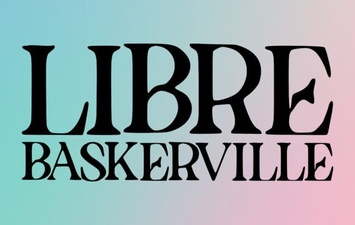 Libre Baskerville Font: Tips, Pairings, and Project Ideas
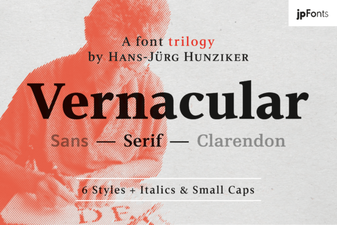 Vernacular Serif Fonts: Creative Uses & Project Ideas
 Cute Dinosaur Fonts: Free Downloads and Design Ideas
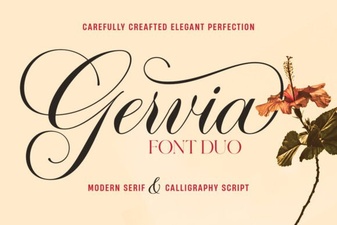 Gervia Font: Creative Typography for Modern Design
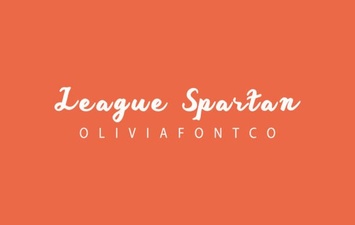 League Spartan Font: Bold Geometric Design for Modern Projects
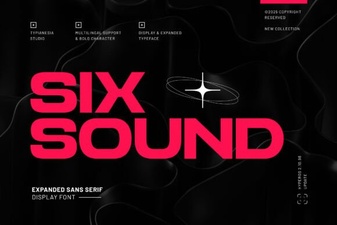 Six Sound Font Font: Design Inspiration & Project Ideas